Zotero chat, in your pocket
Chat with your
pocket Zotero.
Chat with any paper in your Zotero library, anywhere. Your whole library in your pocket — no computer, no digging, just answers.
No account required · Your library stays on your device
Two core abilities. Zero busywork.
DocsAgent does two things extremely well — and nothing you didn't ask for. It's not a PDF reader; it's the fastest way to get answers out of your own research.
Chat with every paper
Tap any paper in your Zotero library and ask it anything — summaries, methods, results, or one specific detail. Answers come back grounded in that document, in seconds, right on your phone.
AI search across your whole library
Ask a question in plain language and DocsAgent finds the papers in your collection that answer it. No folder digging, no manual scrolling.
Any model you want
Use the latest frontier models from the provider you already trust, or connect a model service you deploy privately. Your key, your choice, your costs.
Private by design
Your library is copied directly from your computer to your phone over your own local network. No cloud upload, no third-party servers, no account required.
Built for your phone
Your library travels with you. Ask about any paper on the train, between meetings, or on the go — and pick the thread back up later.
More than Zotero
Zotero is just the start. DocsAgent is a mobile AI agent for your personal documents — Obsidian vaults and local files are on the roadmap.
See it in action.
Two ways to get answers: chat with a single paper, or ask your whole library at once.
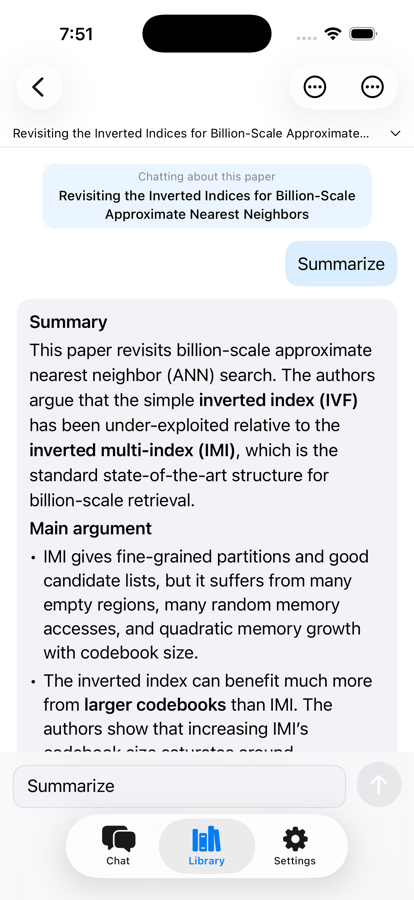
Single paper
Ask any paper anything
Open a paper and get a summary, the methods, the results, or one specific detail — answered from that document alone.
Whole library
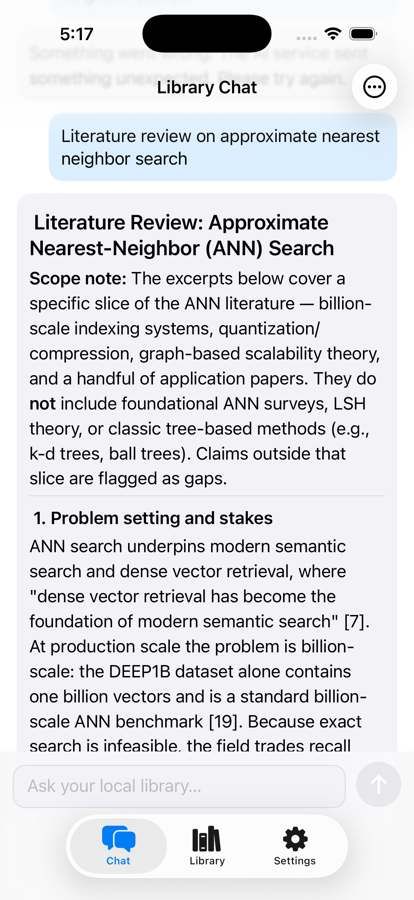
One question, every paper
Ask your library in plain language and let AI pull together an answer across everything you imported.
Pair, import, browse, and pick your model
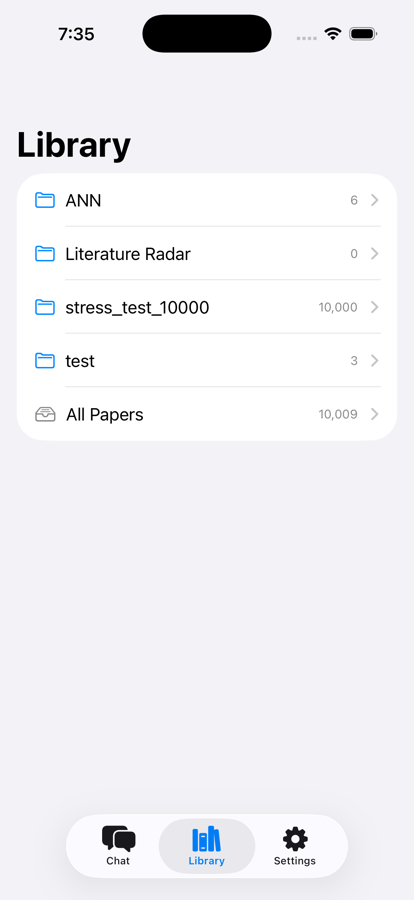
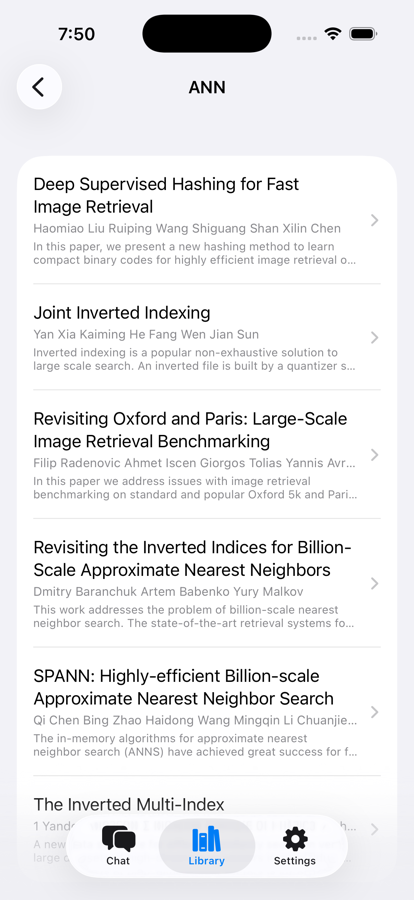
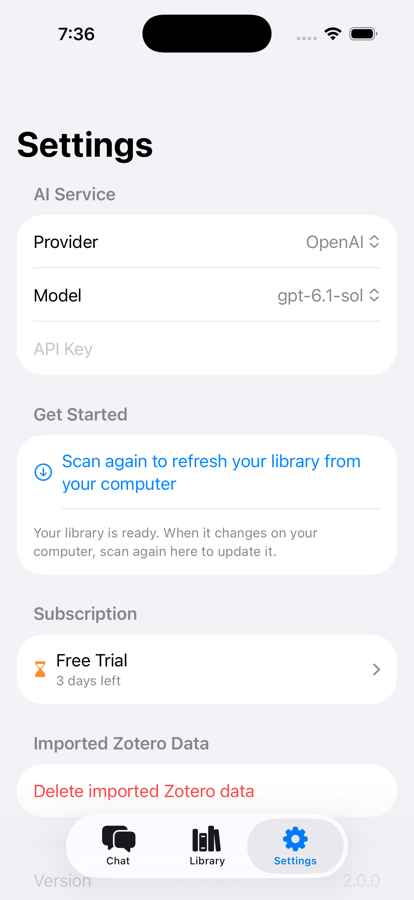
From desk to pocket in minutes.
01
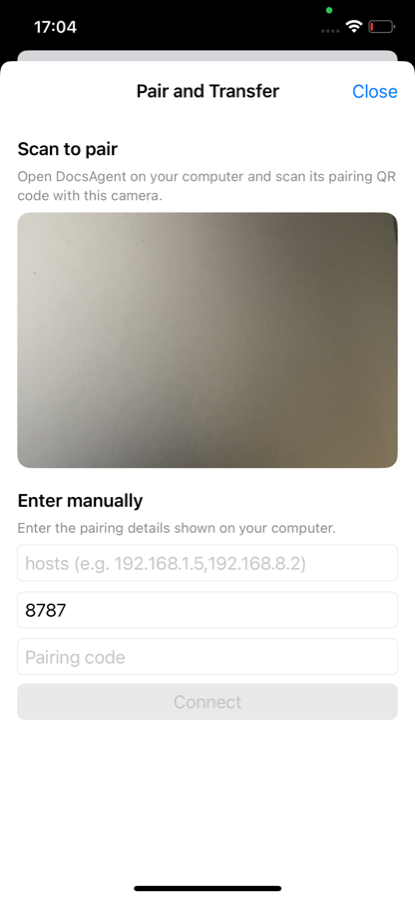
Scan to pair
Open the companion desktop app next to your Zotero library and scan the pairing code with your phone.
02
Import over your own network
Your library transfers directly from your computer to your phone over local Wi-Fi — never through our servers.
03
Add your model key
Connect any OpenAI-compatible provider with your own key, or point DocsAgent at your private model deployment.
04
Start asking
Chat with any paper, or ask your whole library a question and let AI surface the right papers.
Your library never touches our servers.
Imports travel directly between your computer and your phone over your own Wi-Fi. Chats live on your device. AI requests go to the provider you configure — including a model you host yourself. No account, no cloud copy, no surprises.
Your library, in your pocket.
Import your Zotero library once, and every paper in it becomes a conversation you can carry anywhere — no desk required.